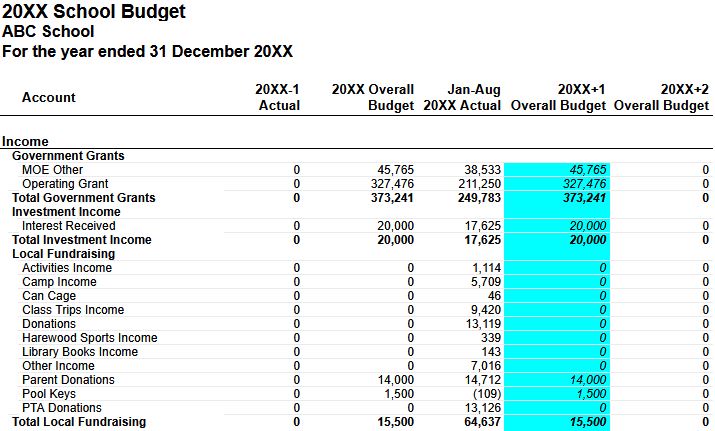
We will update the operations grant budget once the provisional notice has been uploaded to Google Drive; the notices are now available in Pourato (uploaded Friday, 4 September 2026), so please download the provisional notices, both staffing and operational funding, from the 2027 year. If, however, the student numbers are expected to be higher or lower than the MOE provisional levels, please let us know and we will look at adjusting the operational grant budget accordingly.
We encourage each school to have an initial work-through of the 2027 budget, updating revenue codes for any known changes, expenditure for any new initiatives and zeroing out any budget lines not required for 2027 (please do not delete existing lines from the budget, we will archive the codes when we upload the 2027 budget). If you need a new revenue or expense line, please insert a row and then add a note to the right noting as such (IE: "New Code for 2027"). NB: If adding a new budget line at the bottom of a section, please double check the sum formula is capturing the new budget line.
If the 2027 budget amount is significantly different to 2026 budget, please add a note to the right hand side outlining the reason behind the change.
Please include revenue and expense budgets for significant activities like Camp or EOTC week, as the auditors have asked for this.
If a budget line is no longer required, please make a note to the side, and we will archive this code for you in Xero.
If there are any questions about any line item, please add a comment in the sheet and we will provide a response.
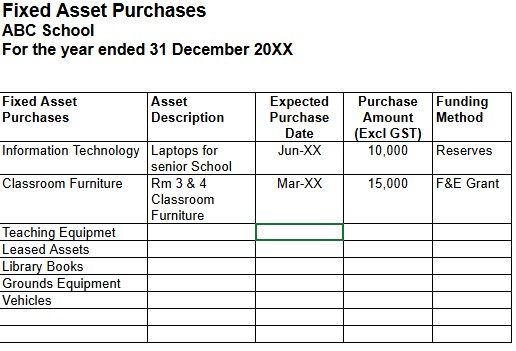
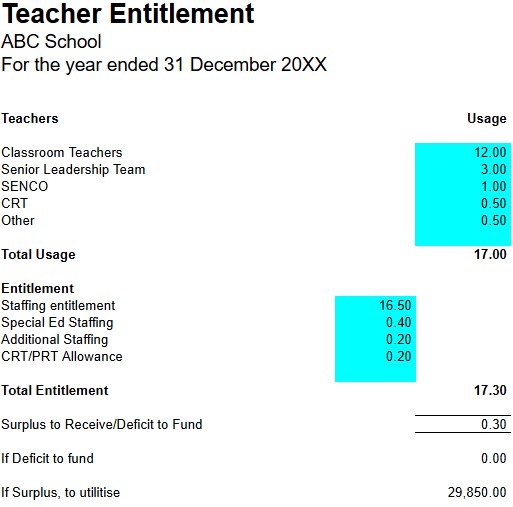
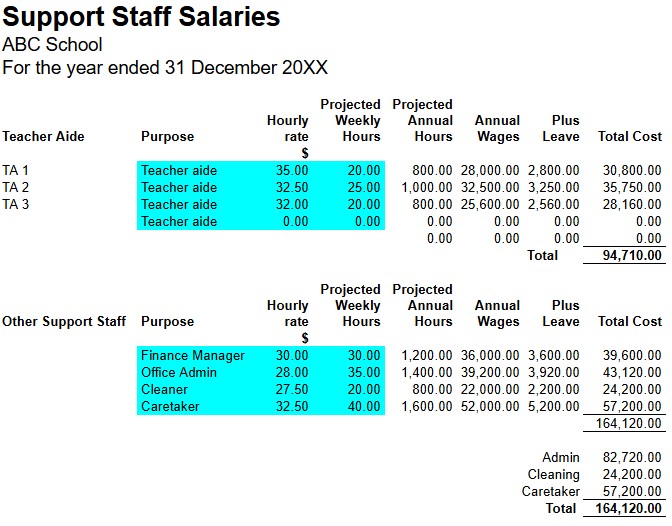
Within the budget template are sheets for calculating planned capital purchases, a calculator for working through the Teacher Entitlement and a calculator for determining the support staff costs. Further information on using those calculators is detailed below.
Once the initial run-through of the budget has been completed, please contact us to discuss any aspects that require further clarification.